A release with noindex
A new template goes live with the meta robots tag from staging. The traffic drop only shows up days later.
Beta open for testers
IndexRise checks the key SEO elements of your pages every day — title, description, H1, canonical, noindex, status codes, redirects and sitemap files. It only speaks up when something has really changed, and tells you in plain words what it means.
The site works, customers buy, nobody reports anything. Meanwhile, search engines stop seeing part of your website.
A new template goes live with the meta robots tag from staging. The traffic drop only shows up days later.
Some URLs start redirecting or return 404. The menu still works, so nobody clicks them.
A plugin regenerates the sitemap and drops half of the products. Crawlers stop visiting them.
What IndexRise does
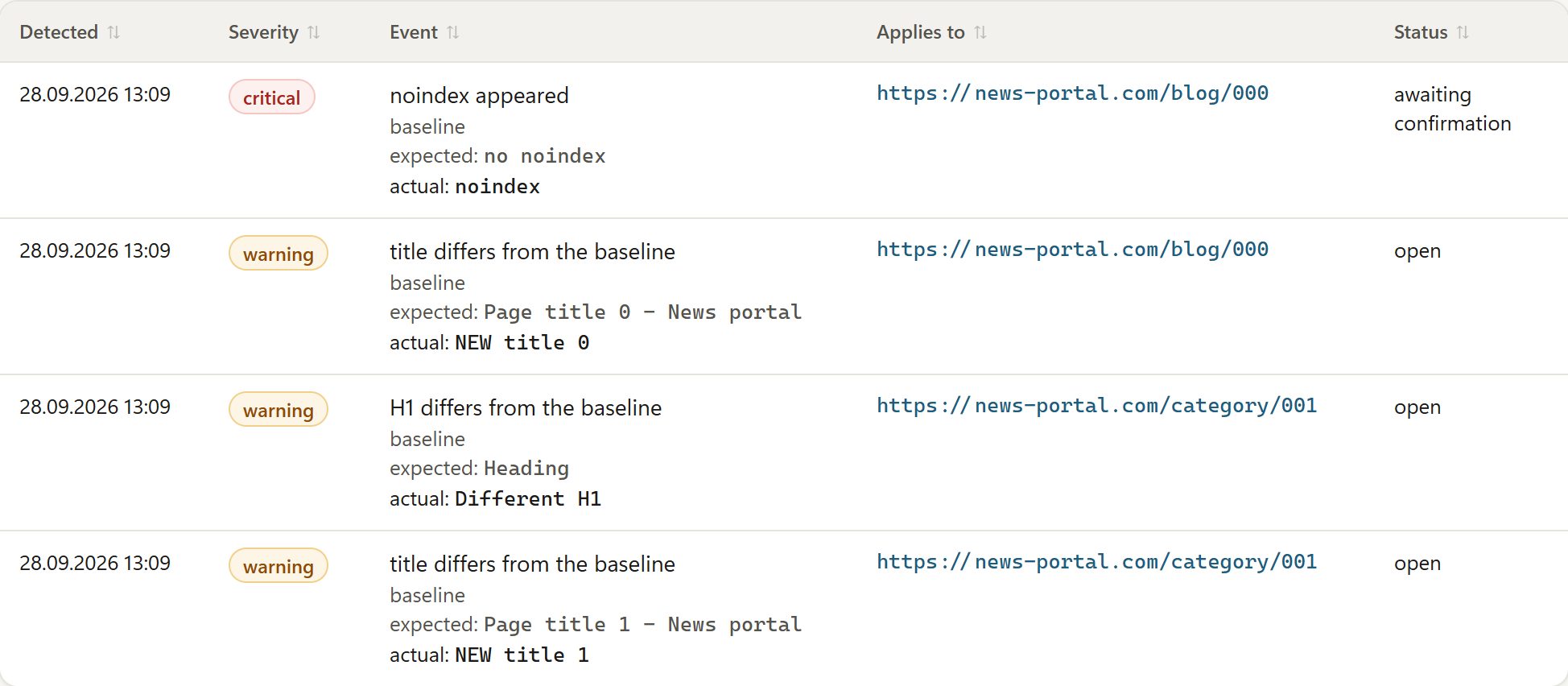
On the first check we record what each URL looks like. From then on we compare against it and show exactly: it should be this, it is now that.
If you made the change on purpose, approve the new baseline and the case is closed. If not, you know what to fix and where.
We find your sitemap files, count the URLs in them and alert you when their number suddenly drops, a file disappears or can no longer be read.
We check whether your site swaps content in the browser. If it does, we read the rendered version, because that is what search engines see.
We confirm serious changes before alerting. Temporary server slowdowns and changes limited to numbers in titles, like prices or dates, don't clutter the list.
Response time is recorded on every check. Selected URLs — homepage, category, product, blog post — are measured in more detail.
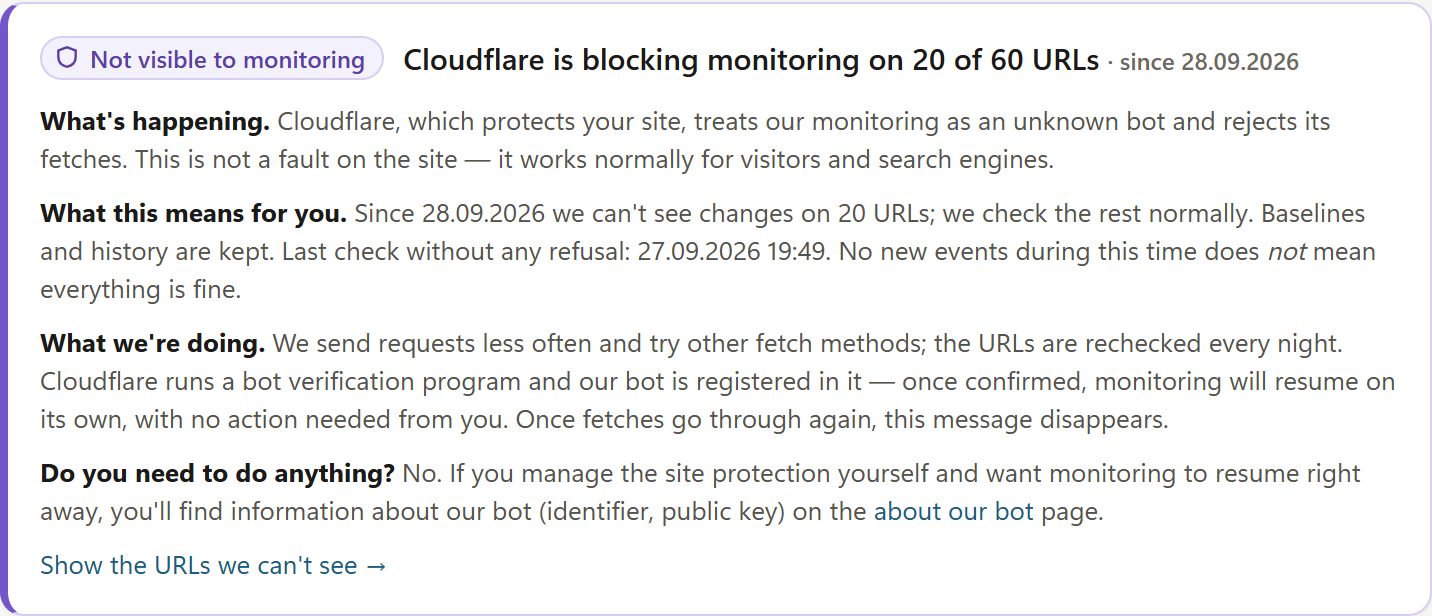
Instead of “403” you get an explanation: what is happening, what it means for you and whether you need to do anything. Sometimes the answer is: no.
We ask slowly: once a day, with a pause between requests to the same server. Our crawler identifies itself and has a public page.
How it works
Paste URLs or pick them from your sitemap files. Nothing to install on your site and no server access needed.
The first check remembers what each page looks like today: tags, status codes, redirects.
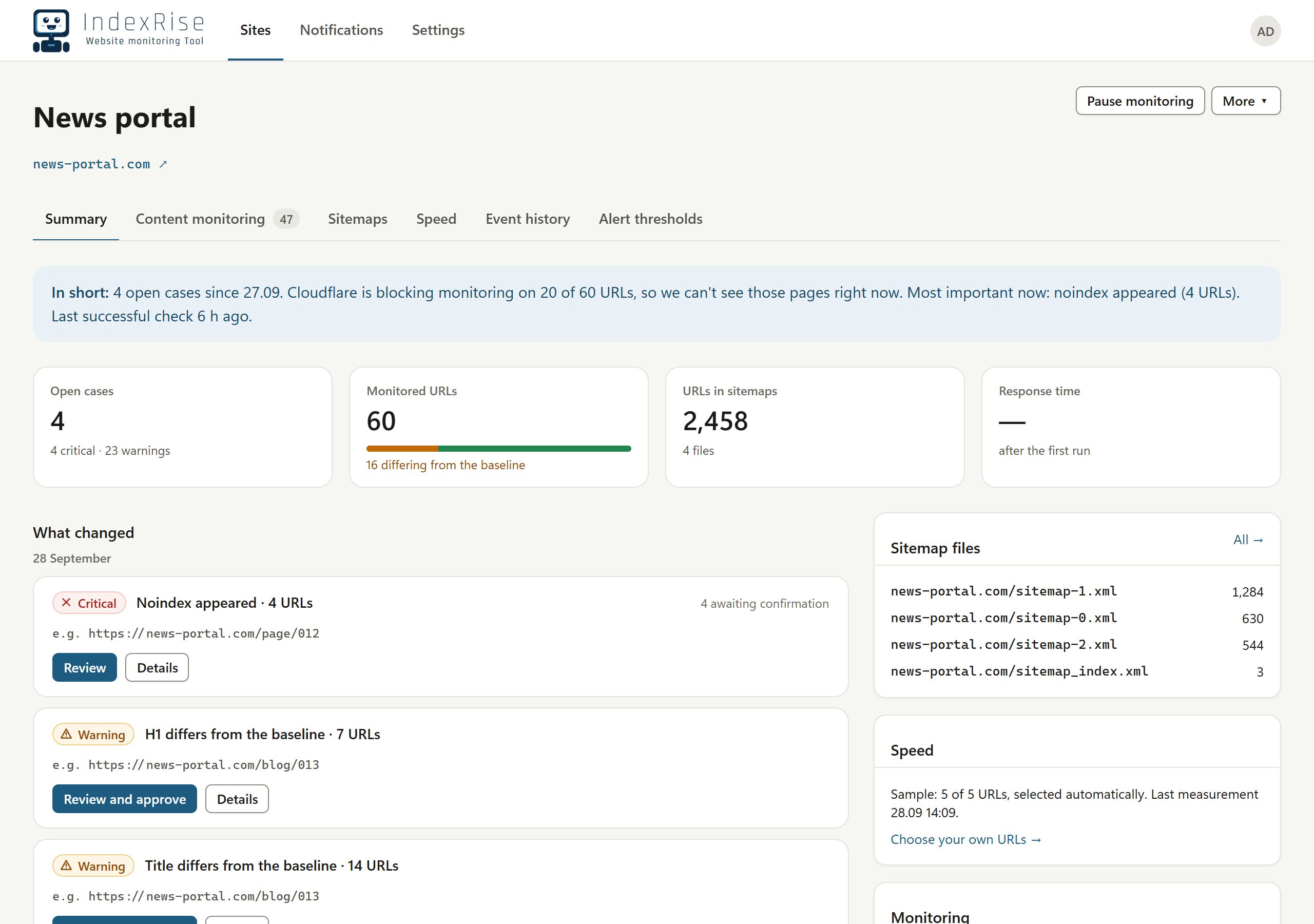
In the morning you see what has changed, grouped into cases, each with a button: review, approve or fix.
Screenshots
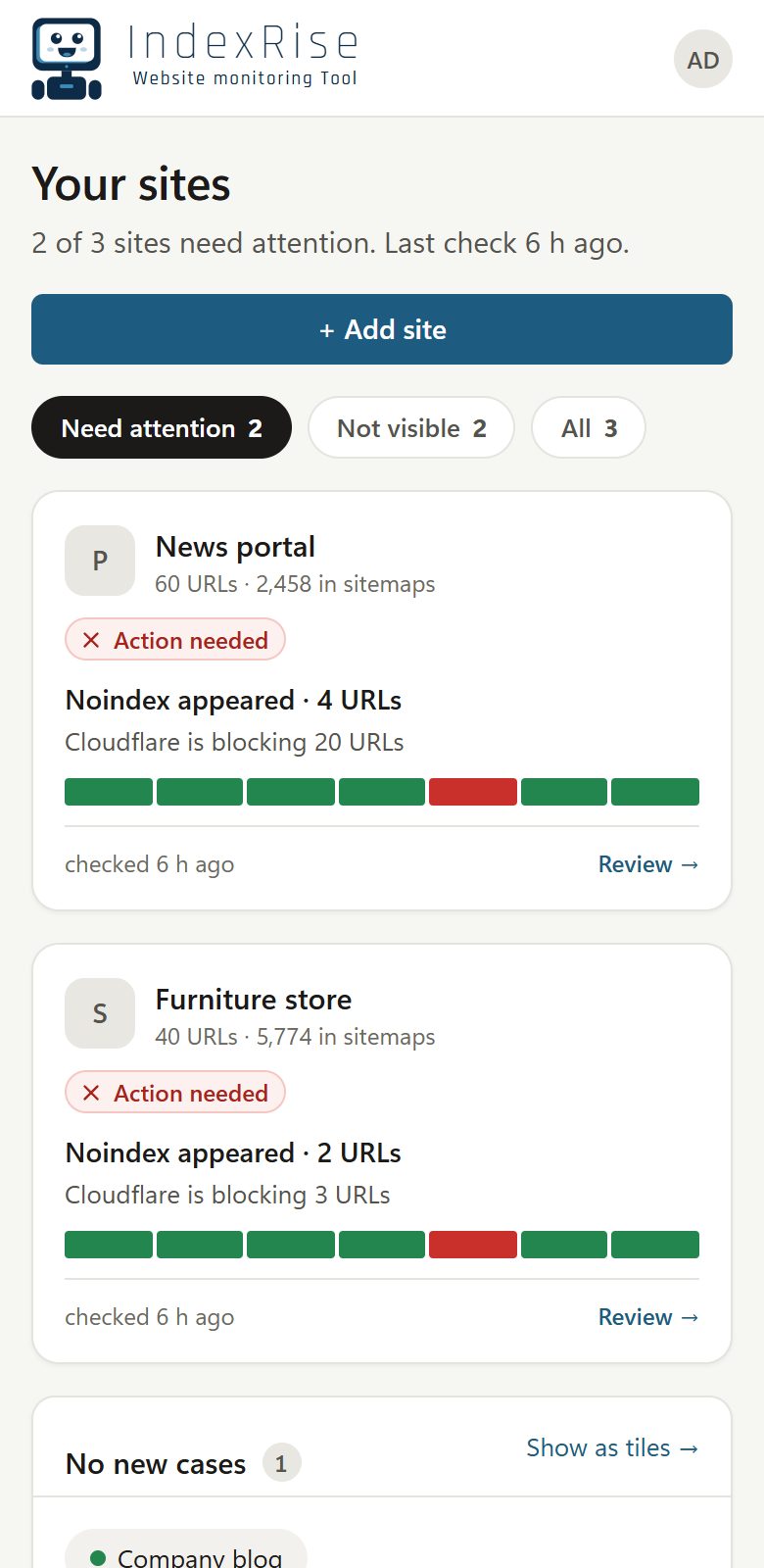
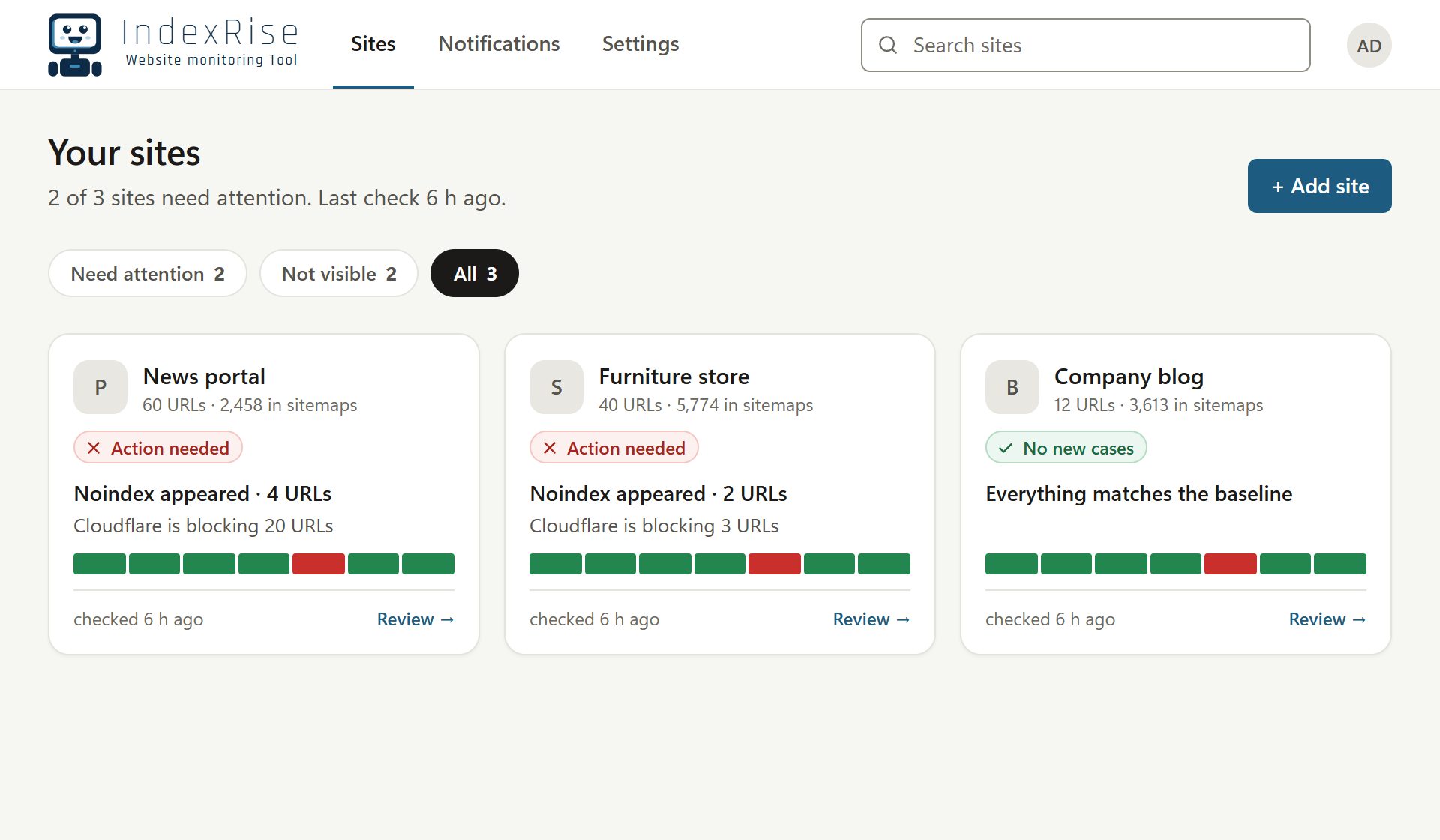
During the beta the dashboard itself is in Polish — the screenshots show it translated into English.
What we check
Each one is detected separately and gets its own severity, so a noindex on your homepage doesn't get lost among minor description edits.
Beta testing
We will use your address only to contact you about the beta and delete it on request — just write to [email protected]. Privacy Policy.
No. IndexRise checks your pages from the outside, the way a search engine crawler does. No plugin, script or server access needed.
It shouldn't. Each URL is checked once a day, with a pause between requests to the same server. If the server starts refusing, we lengthen the pauses ourselves.
We'll tell you plainly: which URLs we can't see, since when and what we're doing about it. No alerts never means “all good” when a page simply couldn't be fetched.
Yes. For every site we check whether content is swapped in the browser. If it is, we compare the rendered version.
Yes. The dashboard follows your browser language — English by default, Polish for Polish browsers — and you can switch at any time.
Nothing during the beta. We'll tell testers about pricing well before the beta ends.